Local Weather Alerts - Widget
Weather
Local Weather Alerts For Your Home Screen Widget
App Screenshots

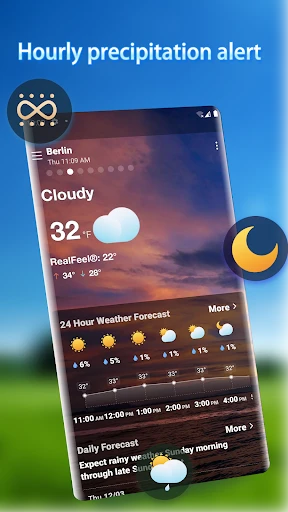
About Local Weather Alerts - Widget Feature
Local Weather Alerts - Widget is a specialized mobile application designed to deliver precise, real-time weather information and critical alerts directly to a user's device home screen. It transcends the basic functionality of a standard weather app by emphasizing immediacy, reliability, and convenience through highly customizable widgets. The app serves as a vigilant personal meteorologist, focusing on hyper-local conditions and severe weather warnings to ensure users are always prepared and informed without needing to open the app frequently.
Chapter 1: Function
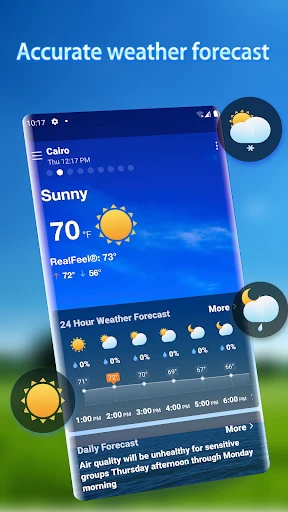
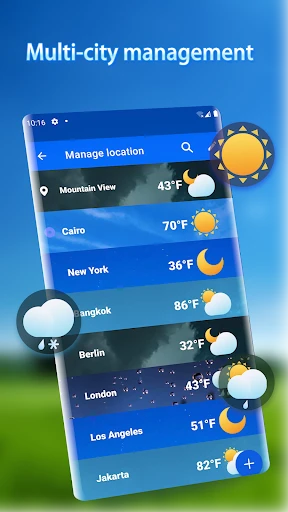
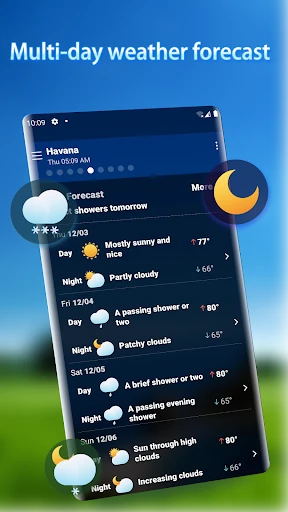
The core function of Local Weather Alerts - Widget centers on providing at-a-glance weather data and proactive notifications. It sources real-time conditions, detailed forecasts for the upcoming hours and days, and, most importantly, official weather warnings from relevant authorities. These alerts cover severe events like thunderstorms, floods, hurricanes, or extreme temperatures. The defining functional feature is its comprehensive widget system. Users can place multiple widgets of various sizes on their home screen, displaying chosen metrics such as current temperature, precipitation chance, severe alert status, or a multi-day forecast. The app operates with minimal battery consumption, frequently updating data in the background to ensure the widget information is always current. It also allows for location-based tracking, automatically updating alerts for the user's precise location or any manually monitored areas.
Chapter 2: Value
The primary value proposition of Local Weather Alerts - Widget lies in its fusion of proactive safety and unmatched convenience. In an era where weather patterns are increasingly volatile, the app delivers critical value by acting as an early warning system. It can provide life-saving minutes of advance notice for severe weather, a key advantage over standard apps that may not push alerts as prominently or may bury them within the application. The widget-centric design eliminates the friction of opening an app, placing the most crucial information directly in the user's workflow on the home screen. This constant visibility ensures users are passively informed throughout their day. Furthermore, the app offers significant value through deep customization. Users are not confined to a one-size-fits-all display; they can tailor widgets to show exactly the data they care about most, whether it's wind speed for a sailor, precipitation accumulation for a farmer, or simply the chance of rain for daily commutes. This personalized approach, combined with reliable data sourcing and efficient performance, creates a tool that is both a practical utility for daily planning and a vital component of personal and family safety preparedness. Its user-friendly interface and low impact on device resources further solidify its value as a dependable digital companion.
Chapter 3: Scenarios
The app is ideally suited for a wide range of users whose daily decisions are influenced by weather conditions or who prioritize safety. Primary user groups include outdoor professionals and enthusiasts, such as construction workers, landscapers, gardeners, hikers, and cyclists, who need to plan activities around weather windows and avoid dangerous conditions. It is equally valuable for parents and caregivers who wish to monitor weather alerts to ensure children's safety, especially during school commutes or outdoor events. Frequent travelers and commuters benefit from monitoring conditions both at home and at their destination, allowing for better trip planning. Residents in areas prone to specific severe weather, like tornado alleys, hurricane coasts, or regions with flash flooding, will find the immediate alert system indispensable for emergency preparedness. Everyday use cases involve glancing at the home screen widget while having morning coffee to decide on attire, receiving a push notification about a sudden thunderstorm while at the park, or monitoring winter storm warnings for travel advisories. Essentially, it serves anyone seeking a reliable, immediate, and hassle-free method to stay ahead of the weather.
Key Pros
- hyper-local alerts for microclimates and sudden shifts
- widget displays critical warnings without opening app
- minimal data usage via offline cached alert maps
- customizable thresholds for niche weather parameters
- integrates crowd-sourced road condition reports
Things to Note
- requires precise location always enabled for accuracy
- widget updates can lag on older iOS versions
- limited historical data compared to full weather apps
- no severe alert verification from official sources
- complex threshold settings may overwhelm casual users
Frequently Asked Questions
Q: What is Local Weather Alerts - Widget?
A: Local Weather Alerts - Widget is a weather application focused on providing real-time, location-based severe weather notifications. Its core function is to deliver timely alerts (like storms, floods, or extreme temperatures) directly to your device's home screen via a widget. It positions itself as a proactive safety tool rather than a full-featured weather forecast app, prioritizing immediate hazard warnings.
Q: Is this app free to use with any hidden costs?
A: No, the app requires an active internet connection (cellular data or Wi-Fi) to receive the latest weather data and alert updates. It cannot fetch new warnings offline. However, the last received alert information might still be visible on the widget until the next refresh cycle when connectivity is restored.
Q: Can it alert me without an internet connection?
A: The app's basic alert functionality and widget are free to use. It may offer optional in-app purchases for advanced features, such as ad removal or more granular alert filters. No additional physical equipment is required. The app requires permissions for precise location access to provide accurate local alerts.
Q: On which devices and systems does this app work?
A: Local Weather Alerts - Widget is designed for mobile devices. It is primarily available for Android and iOS systems. The app's functionality is centered on its home screen widget, which may have varying compatibility and customization options depending on the specific device model and operating system version.
Q: How does the app's alert system work technically?
A: The app uses your device's location services to monitor your geographical area. It pulls data from official meteorological sources or integrated weather networks to identify severe weather events. When a threshold is met, it triggers a push notification and updates the home screen widget instantly. Technical characteristics include background data refresh and low-power consumption design for constant monitoring.
You May Also Like

DamonSX2 Pro - PS2 Emulator

Possible: Fast Cash & Credit

نشان | نقشه و مسیریاب Neshan

Montessori Preschool, kids 3-7

Cleo AI: Cash advance & Credit

QuikTrip: Food, Coupons & Fuel

Wyze - Make Your Home Smarter

Peacock TV: Stream TV & Movies

iRobot Home (Classic)

myPurina – Pet Rewards & Care

GPS Navigation & Map Direction

Quiz AI: AI Homework Helper

WeMuslim: Athan, Qibla&Quran

Chilis

zTrip

zmNinja

Reel Rush

Weather Kitty - App & Widget

GPS Satellite View: Live Maps