Weather Live - Radar & Widget
Weather
Weather Forecasts Alerts Radar Maps Widgets
App Screenshots

Hey there, folks! So, today I’m diving into the world of weather apps, and let me tell you, I’ve found a gem that I can’t wait to share with you all. Let’s talk about Weather Live - Radar & Widget. This is one of those apps that makes checking the weather feel like you’re browsing through a fancy magazine rather than just looking at numbers and charts. But hold up, let me explain why this app might just become your new best friend when it comes to planning your day.
Initial Look: Polished and User-Friendly
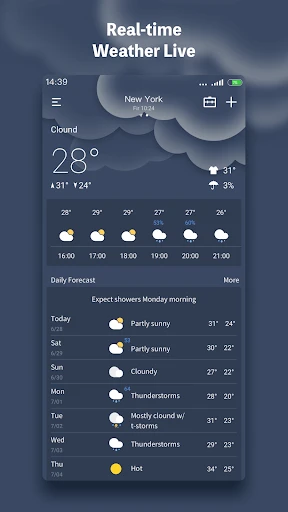
From the moment I opened the Weather Live - Radar & Widget app, I was greeted with a sleek, clean interface that’s easy on the eyes. It’s like the app welcomes you with open arms, ready to show you all the weather info you didn’t know you needed. The main screen is packed with details, but it doesn’t feel overwhelming at all. You’ve got your current temperature, chance of rain, wind speed, and even air quality index right there at a glance. It’s like having your own personal weather station in your pocket!
Live Radar: Tracking Storms in Real-Time
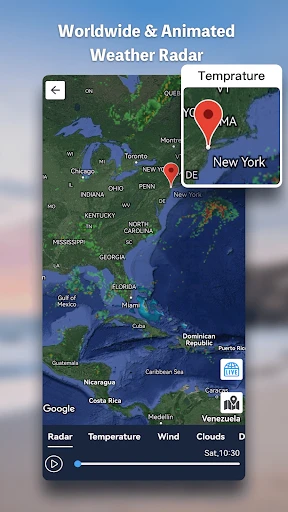
Now, one of the standout features of this app is definitely the radar. I mean, who doesn’t love watching those weather patterns swirl across the map? The radar is super responsive, and you can zoom in and out to see what’s happening in your area or across the globe. It’s incredibly detailed and updates in real-time, so you’re always in the loop. Whether you’re planning a weekend getaway or just need to know if you should carry an umbrella, this feature has got your back.
Personalized Widgets: Info at a Glance
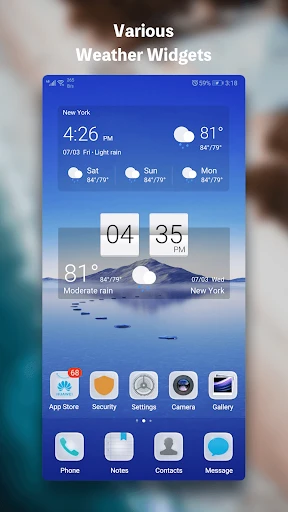
Another thing I absolutely love about Weather Live is the customizable widgets. I’m a big fan of having all my essential info right on my home screen, and this app delivers. You can choose from different widget sizes and styles to match your phone’s aesthetic, and it keeps you updated without having to open the app constantly. It’s perfect for those quick glances when you’re rushing out the door.
Effortless and Trustworthy Performance
Let’s talk about usability. The Weather Live - Radar & Widget app is a breeze to navigate. Everything is laid out logically, making it super intuitive even for those who aren’t tech-savvy. Plus, it seems to be pretty darn accurate. I compared its forecasts with a few other sources, and it holds up well, which is crucial when you’re trying to decide between shorts and a raincoat!
In conclusion, if you’re in the market for a new weather app, I’d definitely recommend giving Weather Live a shot. It combines beautiful design with comprehensive features, making it a standout choice for anyone who likes to stay informed and prepared. Go ahead, download it, and let me know what you think. Rain or shine, this app’s got you covered!
Key Pros
- Accurate real-time weather updates
- Customizable weather widgets
- Easy-to-navigate interface
- Detailed weather radar maps
- Supports multiple locations
Things to Note
- Ads can be intrusive at times
- Some features require a subscription
- Occasional slow loading times
- Battery consumption is high
- Limited free version features
Frequently Asked Questions
Q: What is Weather Live - Radar & Widget?
A: Weather Live is a weather forecasting application focused on providing hyper-local weather data, radar maps, and customizable home screen widgets. Its core functions include real-time precipitation radar, severe weather alerts, and detailed forecasts. The app positions itself as a tool for precise, visually intuitive weather tracking, with unique features like animated radar loops and highly configurable widgets that display live conditions directly on your device's home screen.
Q: Is Weather Live free to use with ads or purchases?
A: The app typically follows a freemium model. It is free to download and use with core features like basic forecasts and a standard widget. However, access to advanced radar layers (e.g., satellite, temperature, wind), ad removal, more detailed future forecasts, and premium widget styles usually requires a one-time purchase or a subscription. The specific pricing and tier structure are detailed within the app's settings or on its official store page.
Q: What devices and systems does this app support?
A: Weather Live is primarily designed for iOS and Android mobile devices. It supports various phone and tablet models. The widget functionality's appearance and customization options depend heavily on the specific operating system version (e.g., iOS 14+ for newer widget stacks, Android 12+ for material design widgets). The app does not require additional external hardware. It uses your device's location services and internet connection to provide data.
Q: How accurate is the storm radar and alert feature?
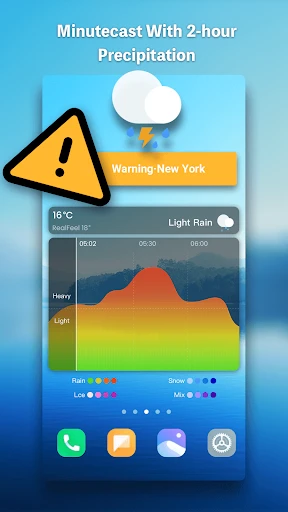
A: The app sources its radar data and forecast models from professional meteorological providers, which are generally reliable for short-term predictions. The accuracy of the radar and alerts can vary by region due to data source coverage and local terrain. Alerts for severe weather (like thunderstorms or hurricanes) are issued based on official warnings from national weather services. For the most critical warnings, always cross-reference with local official sources, as all apps have inherent limitations in prediction certainty.
Q: Why is my widget not updating or showing correctly?
A: Common widget issues are often related to device-specific power or data settings. Ensure the app has necessary permissions, including location access (if used) and background data refresh enabled. On iOS, check if 'Background App Refresh' is on for Weather Live. On Android, check battery optimization settings for the app. Also, try removing and re-adding the widget to the home screen. If problems persist, reinstalling the app or consulting the developer's support page for troubleshooting steps is recommended.
You May Also Like

AllEvents - Discover Events

MetaTrader 5 — Forex, Stocks

Speedometer - Odometer App

Oportun: Finances made simple

SoLo Funds: Lend & Borrow

Mealime Meal Plans & Recipes

MEATER® Smart Meat Thermometer

Sekai: Roleplay Your Own Story

Dovly: Grow your Credit Score

Jason's Deli

Windfinder: Wind & Weather map

Upgrade

Live Satellite View GPS Map

Prime Opinion: Survey for Cash

Hotmart

MOD Bus Simulator Indonesia

Luzia: Your AI Assistant

Mods&Skins for Melon

Tesla