
Mirror Link Car Display
Libraries & Demo
Mirror Link Car Display
App Screenshots

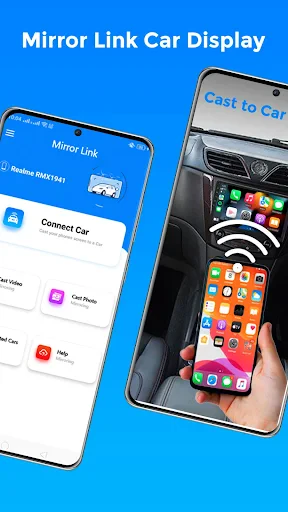
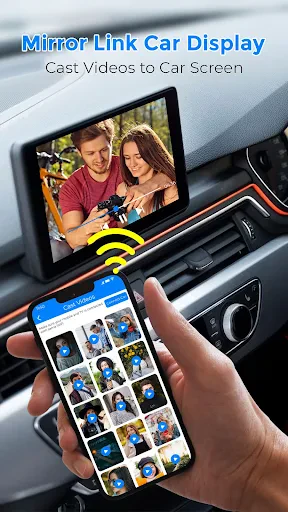
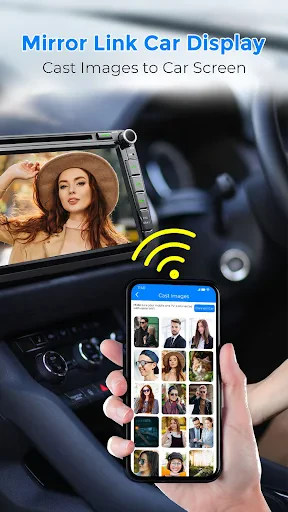

MirrorLink Car Display: Your Phone on Your Car's Dashboard
Have you ever wished you could magically mirror your phone’s screen onto your car’s display? Well, folks, wish no more! The MirrorLink Car Display app is here to turn that dream into a reality. Buckle up as we dive into the world of seamless connectivity and discover how this app can transform your driving experience.
Your Car's New Co-Pilot
MirrorLink is like having a tech-savvy co-pilot without the extra seat. It lets you link your smartphone to your car's entertainment system, giving you access to a bunch of apps right on your car's screen. Picture having your maps, music, and texts all available with a tap on your steering wheel. It's like your phone and your car have become the best of friends!
Getting Started is a Breeze
Getting MirrorLink ready is as simple as can be. You just need a phone that works with it and a car that supports MirrorLink. Plug it in, and boom, your phone's screen shows up on your car's display. The layout is super user-friendly, so you won't be messing with complicated settings while you're driving. Honestly, if I managed it, so can you!
A Smarter Dashboard for Your Drive
After you're connected, a whole universe of apps is ready for you—controlled right from your steering wheel. Whether you're driving in a busy city or on a long country road, apps like Google Maps or Waze will be your guides. You can say goodbye to wrong turns and keep your focus on the road ahead.
And it's not just for directions. Think about changing your music playlists without ever touching your phone. Spotify, Apple Music, or whatever you listen to is just a simple command away. If your car has a great sound system, you're in for a real treat—it’s like a private concert.
Keep in Touch Without the Risk
You might be wondering, "But isn't using apps while driving unsafe?" MirrorLink has thought of that. The app is built to cut down on distractions, with voice commands and steering wheel buttons. You can answer calls, hear messages, or even speak a quick memo without ever letting go of the wheel. Safety should always come first.
What to Know Before You Go
MirrorLink is awesome, but it does have a few things to keep in mind. Not every app works with it, and it's mainly for Android phones. iPhone users might feel a little left out unless they're open to changing phones. Also, not every car can use MirrorLink, so it's a good idea to double-check if your car is compatible before you get too excited.
The Final Take
To wrap it up, the MirrorLink Car Display is a real innovation for anyone who wants to stay connected while driving. It makes life easier by putting your favorite apps right on your car's screen. Even though there are some limits on which apps and phones work, the advantages for Android users with the right car are huge.
So, if you're looking to combine your phone with your car's system for a more seamless, secure, and connected ride, try MirrorLink. It could easily become your go-to partner for every journey.
Key Pros
- Seamless phone mirroring
- User-friendly interface
- Supports multiple apps
- Voice control integration
- Enhances driving experience
Things to Note
- Limited compatibility
- May drain phone battery
- Requires stable internet
- Subscription fees
- Potential data privacy issues
Frequently Asked Questions
Q: What is Mirror Link Car Display?
A: Mirror Link Car Display is an innovative application designed to connect your smartphone to your car’s infotainment system. It allows you to mirror your phone's screen on the car display, giving you the convenience of accessing apps, navigation, music, and calls directly from your car’s dashboard, making your drive safer and more enjoyable.
Q: How do I set up Mirror Link Car Display in my vehicle?
A: Setting up Mirror Link Car Display in your vehicle is simple and straightforward. First, ensure your car stereo supports Mirror Link. Then, download the app on your smartphone. Connect your phone to the car via USB or Bluetooth. Follow the on-screen prompts to sync your device, and you’ll be able to access your phone’s features on the car display.
Q: Is Mirror Link Car Display compatible with all smartphones and cars?
A: Mirror Link Car Display is not universally compatible with all smartphones and vehicles. It primarily supports Android devices, although some iOS compatibility exists. Ensure your smartphone and car stereo are both Mirror Link-enabled before attempting to use the app. Check the manufacturer's website for a list of compatible devices and cars to avoid compatibility issues.
Q: Can I use navigation apps with Mirror Link Car Display?
A: Yes, you can use navigation apps with Mirror Link Car Display. The app allows you to mirror navigation applications like Google Maps and Waze directly on your car's infotainment system. This feature provides real-time directions and traffic updates, enhancing your driving experience while keeping your focus on the road.
Q: Are there any subscription fees or hidden costs associated with using Mirror Link Car Display?
A: Mirror Link Car Display typically does not require a subscription fee for basic functionality. However, some advanced features or additional app integrations might incur costs. It's advisable to check the app's terms and conditions or the app store listing for any in-app purchases or premium feature charges to understand all potential costs.
You May Also Like

Kwikpic - Smart Photo Sharing
Weather app

Star Walk 2 Plus: Sky Map View

Xbox

Dunkin’

MARTA On the Go

Grab Driver: App for Partners

Arlo Secure: Home Security

Advent Calendar

DamonSX2 Pro - PS2 Emulator

Dave - Fast Cash & Banking

Navigation Pro: Maps on Watch

Prepware Powerplant

inKind

The Weather Network

Sherwin-Williams Color Expert™

Design Space: DIY with Cricut

Chilis

Services Update Info
