Daily Weather
Weather
Daily Weather Accurate Forecasts For Everyone
App Screenshots


About Daily Weather Feature – Your Pocket-Sized Meteorological Companion
Daily Weather is a streamlined and user-centric mobile application designed to deliver precise, real-time weather forecasts and essential atmospheric data. It stands out by transforming complex meteorological information into an easily digestible format, catering to the everyday needs of users who require reliable weather updates to plan their days effectively. The app combines a clean, intuitive interface with robust data sourcing, ensuring that from the moment you open it, you are presented with the most relevant weather conditions for your location and beyond.
Chapter 1: Function
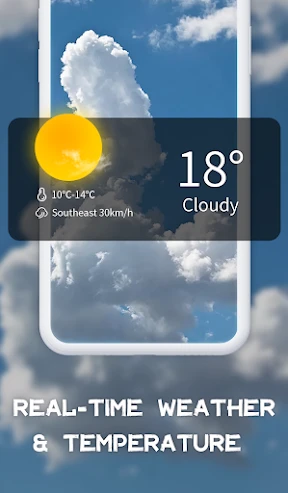
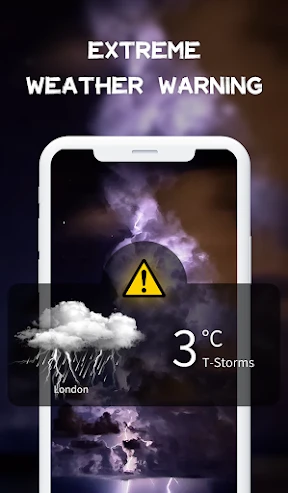
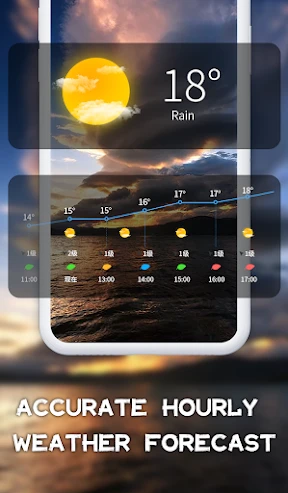
The core functionality of Daily Weather revolves around providing accurate, location-based weather information. Upon granting location permissions, the app instantly displays current temperature, humidity, wind speed and direction, and atmospheric pressure. Its forecast capabilities extend to hourly predictions for the next 48 hours and a detailed 7-day outlook, highlighting daily high and low temperatures and precipitation probability. A key feature is its severe weather alert system, which pushes notifications for storms, heavy rain, or extreme temperatures. The app also includes basic radar maps showing precipitation patterns and cloud cover, allowing users to visualize weather systems. Additional utilities like sunrise/sunset times, UV index, and a customizable widget for the home screen complete its functional suite, all accessible through a simple, ad-free layout designed for quick comprehension.
Chapter 2: Value
The primary value proposition of Daily Weather lies in its exceptional blend of reliability, clarity, and efficiency. Unlike cluttered weather services, it distills essential information into a glanceable format, saving users time and cognitive effort. Its accuracy, powered by trusted meteorological data sources, ensures users can make confident decisions regarding attire, travel, and outdoor activities. A significant advantage is its proactive alert system for severe weather, which provides a crucial layer of safety and preparedness. The app respects user privacy, requiring minimal personal data and offering robust customization without intrusive advertising. Furthermore, its offline capability to show the last fetched forecast ensures accessibility even with poor connectivity. The intuitive design philosophy means no learning curve is required, making it equally suitable for weather novices and enthusiasts. By focusing on core needs without feature bloat, Daily Weather delivers a consistently smooth and trustworthy experience that integrates seamlessly into daily routines, offering peace of mind through dependable environmental intelligence.
Chapter 3: Scenarios
Daily Weather is ideally suited for a broad spectrum of users whose daily plans are influenced by meteorological conditions. Primary user groups include commuters and travelers who need to anticipate rain, snow, or traffic-impacting weather for their journeys. Outdoor enthusiasts such as hikers, runners, cyclists, and gardeners rely on its precise hourly forecasts and UV indexes to schedule activities safely. Parents and school administrators use it to determine appropriate clothing for children and to monitor alerts for school closures or delays due to extreme weather. Professionals whose work is outdoors, like construction managers, event planners, and delivery personnel, depend on its accuracy for logistical planning and workforce safety. Even casual users benefit from its simplicity for everyday decisions like carrying an umbrella, dressing in layers, or planning weekend outings. In essence, anyone seeking a no-fuss, reliable source for actionable weather information to navigate daily life with greater confidence and preparedness finds indispensable value in the Daily Weather app.
Key Pros
- hyper-local forecasts update every 10 minutes
- offers pollen and air quality alerts on main screen
- minimalist interface with zero banner advertisements
- weather maps load with under 2MB data use
- provides sunrise/sunset times for photographers
Things to Note
- requires location always-on for micro-forecasts
- lifestyle activity suggestions lack customization
- historical weather data limited to past 30 days
- radar animation occasionally lags on older devices
- no integration with calendar for event planning
Frequently Asked Questions
Q: What is Daily Weather and what does it do?
A: Daily Weather is a weather forecast application. Its core function is to provide real-time weather conditions, hourly and daily forecasts for your current location and other cities worldwide. It typically includes data like temperature, precipitation, wind speed, humidity, and UV index.
Q: Is Daily Weather free to use or are there in-app purchases?
A: Daily Weather is a free application to download and use for basic weather forecasts. It may offer optional in-app purchases for advanced features, such as ad removal, detailed meteorological data, or extended forecast ranges. No additional physical equipment is required.
Q: What devices and operating systems does Daily Weather support?
A: Daily Weather is available for both iOS and Android mobile devices. It is designed for general public use and requires a stable internet connection (cellular data or Wi-Fi) to fetch the latest weather data. Specific version requirements can be found on the app store pages.
Q: How does Daily Weather provide weather alerts and forecasts?
A: The app delivers alerts and forecasts by sourcing data from professional meteorological services and weather stations. It uses your device's location (with permission) to provide hyper-local updates. Notifications for severe weather can usually be enabled or disabled in the app's settings.
Q: How can I manage location permissions for accurate forecasts?
A: For precise local forecasts, the app requests location access. You can grant 'Always' or 'While Using' permission in your device settings. You can also manually add locations. If forecasts seem inaccurate, check your device's location services and ensure the app has the necessary permissions and a data connection.
You May Also Like

Long John Silver's

Revolut: Spend, Save, Trade

PSP Ultimate Database Game Pro

Nest

UsA Cyber Two - USA153

Resideo - Smart Home

Live Street view 360

AMC Theatres: Movies & More

English to Spanish Translator

Ovibox - Spirit Box & ITC Tool

Hulu: Stream TV shows & movies

Save A Lot

TP-LINK tpCamera

Samsung Galaxy SmartTag

myFICO: FICO Credit Check

DailyPay On-Demand Pay

ChowNow: Local Food Ordering

Camera Blocker: Anti Spy Guard

Sekai: Roleplay Your Own Story