
MyRadar Weather Radar
Weather
MyRadar Hyperlocal Weather Forecasts For Everyone
App Screenshots

About MyRadar Weather Radar Features
MyRadar Weather Radar is a highly efficient and visually engaging weather application focused on delivering real-time animated weather radar data. It presents complex meteorological information through a clean, intuitive map interface, allowing users to quickly assess current conditions, track storms, and forecast short-term weather changes. Renowned for its speed and low data usage, the app serves as a reliable tool for both casual weather checks and serious weather tracking needs.
Chapter 1: Function
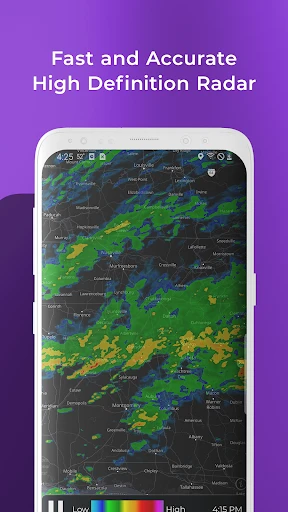
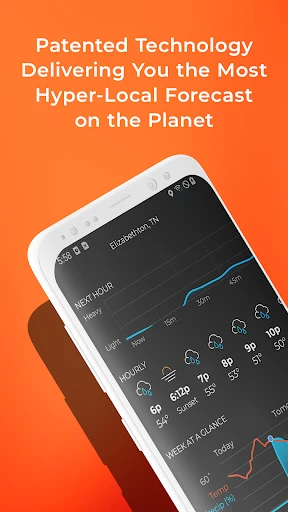
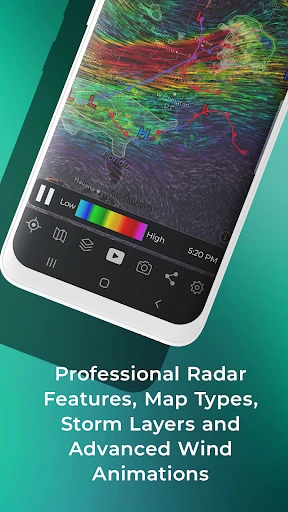
MyRadar's core functionality centers on providing immediate access to high-definition animated weather radar. Upon launching, the app displays a live radar map showing precipitation, storm cells, and other weather patterns in motion. Users can pinch to zoom for hyper-local detail or scroll to view conditions across continents. Beyond the radar, basic functions include adding location-based weather alerts, viewing a seven-day forecast, and overlaying data layers such as temperature, wind speed, and pressure systems. The app also features hurricane tracking during storm seasons, offering specialized tools to monitor the path and intensity of tropical systems. Its design prioritizes speed, ensuring the radar animation loads quickly with minimal delay, making it ideal for rapid situational awareness.
Chapter 2: Value
The primary value of MyRadar lies in its exceptional combination of simplicity, speed, and depth. Its most significant advantage is the instantaneous delivery of animated radar, which translates raw data into an easily understandable visual story of weather movement. This immediacy is crucial for making timely decisions, whether for daily commutes or outdoor events. Unlike many bloated weather apps, MyRadar maintains a lean interface, reducing cognitive load and allowing users to focus on the essential information: where precipitation is and where it is headed. The app is also remarkably data-efficient, consuming minimal bandwidth, which is valuable for users with limited data plans or in areas with poor connectivity. Furthermore, its professional-grade data layers and hurricane tracking cater to weather enthusiasts, pilots, mariners, and professionals who require more detailed atmospheric insights. By stripping away unnecessary clutter and focusing on high-performance radar visualization, MyRadar delivers a reliable, ad-supported free service with optional premium upgrades, offering substantial utility without a high cost of entry. This focused approach establishes it as a trustworthy and efficient specialist tool in the crowded weather app market.
Chapter 3: Scenarios
MyRadar is ideally suited for a broad spectrum of users who prioritize quick, visual weather data. Daily commuters and travelers use it to check for rain, snow, or storms along their route to plan departures and avoid hazardous conditions. Outdoor enthusiasts, including hikers, cyclists, and golfers, rely on its short-term radar forecasts to schedule activities around clear weather windows. It is an indispensable tool for professionals whose work is weather-sensitive, such as construction supervisors, event planners, and agricultural workers. Aviation and marine operators frequently utilize its detailed wind and pressure overlays for pre-flight or pre-sail briefings. During severe weather seasons, residents in tornado, thunderstorm, or hurricane-prone areas depend on MyRadar's alert systems and tracking features to monitor developing threats and ensure personal safety. Essentially, any individual seeking a fast, no-fuss, and visually clear answer to the question 'Is it going to rain here soon?' will find MyRadar an exceptionally effective daily companion.
Key Pros
- Accurate real-time weather updates.
- User-friendly and intuitive interface.
- Detailed weather maps and alerts.
- Customizable radar layers.
- Fast loading times.
Things to Note
- Contains in-app advertisements.
- Limited features in free version.
- Requires internet connection.
- Battery consumption can be high.
- Occasional loading delays.
Frequently Asked Questions
Q: What is MyRadar Weather Radar and what does it do?
A: MyRadar Weather Radar is a weather app focused on displaying animated weather radar data. Its core function is to show real-time and forecast precipitation, storms, and other weather patterns over a map. The app provides basic weather conditions, severe weather alerts, and uses a simple, intuitive interface centered on a moving radar loop. It is designed for quick, visual weather checks.
Q: Is MyRadar free to use, or does it have in-app purchases?
A: MyRadar sources its radar data primarily from government weather services like the NOAA/NWS in the US. The accuracy is dependent on these official sources and the user's proximity to radar stations. Resolution and update frequency are generally good for continental areas. For hyper-local or minute-by-minute precision, it should be used alongside official weather warnings.
Q: What should I do if the app's radar animation is not loading?
A: MyRadar is free to download and use with core radar and basic weather features. It offers optional in-app purchases (subscriptions or one-time fees) for premium features. These may include advanced hurricane tracking, higher-resolution radar, aviation weather data, and the removal of ads. The app itself does not require additional physical equipment.
Q: On which devices and operating systems is MyRadar available?
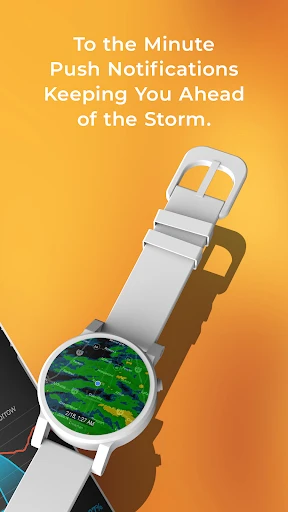
A: MyRadar Weather Radar is widely available on iOS (iPhone/iPad), Android devices, and some smartwatches. It is also accessible via a web browser. The app supports various system versions, but optimal performance requires a relatively recent OS update. It is designed for general public use, including enthusiasts, pilots, and outdoor adventurers.
Q: How accurate and detailed is the radar data in MyRadar?
A: If the radar fails to load, first check your device's internet connection. Ensure location services are enabled if using a location-based view. Try closing and restarting the app. If the issue persists, check the app's status page or support channels for known server outages. For persistent technical issues, contact the developer's support team via the app's official website or store listing.
You May Also Like

zmNinja

Weather Live: Weather Forecast

zTrip

Recover Deleted Messages Pro

Hungry Howies

Weather - By Xiaomi

MyTransit NYC Subway & Bus MTA

Crypto.com - Buy BTC, CRO, XRP

Mileage Tracker & Log - MileIQ

Redfin: Buy, Sell & Rent Homes

StandBy PRO: Always On Display

Go Program Way2Go Card

Gamers GLTool with Game Tuner

Phone Tracker & GPS Location

Roborock

AMC Theatres: Movies & More

HamStudy.org

Smoothie King

Sereal+ Short Dramas&TV Series