Local Weather Forecast& Widget
Weather
Accurate Hyperlocal Forecasts Widgets For All
App Screenshots


About Local Weather Forecast & Widget Feature
Local Weather Forecast & Widget is a dedicated mobile application designed to deliver precise, hyper-local weather information directly to users' devices. It combines accurate forecasting with a highly customizable widget system, allowing users to access critical weather data at a glance without fully opening the app. The service prioritizes real-time updates, detailed meteorological insights, and user convenience, making it an essential tool for daily planning and preparedness against changing weather conditions.
Chapter 1: Function
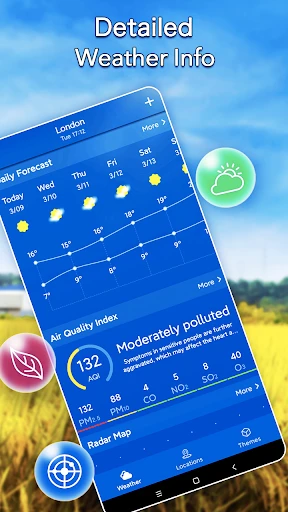
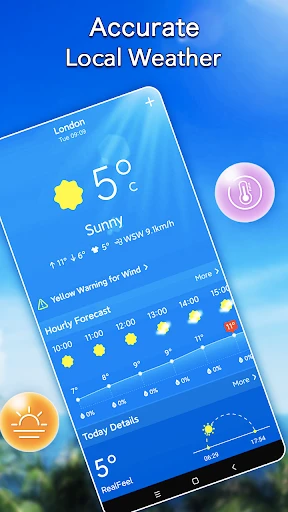
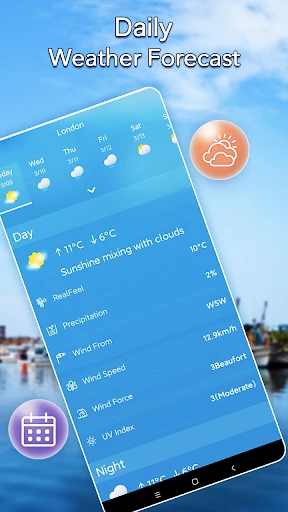
The core functionality of Local Weather Forecast & Widget centers on providing detailed, location-based weather reports and forecasts. Upon granting location permissions, the app automatically displays current conditions, including temperature, humidity, wind speed and direction, atmospheric pressure, and visibility. It offers hourly forecasts for the next 48 hours and daily forecasts typically extending up to 10 days. A central feature is its interactive radar map, showing precipitation, storms, and other weather patterns in motion. Furthermore, the app sends proactive alerts for severe weather events like thunderstorms, heavy rain, or extreme temperatures. The complementary widget system allows users to place configurable widgets of various sizes on their home screen, displaying chosen metrics such as current temperature, daily high/low, or upcoming conditions for instant access.
Chapter 2: Value
The primary value proposition of Local Weather Forecast & Widget lies in its fusion of accuracy, convenience, and customization. Unlike generic weather services, it leverages multiple data sources and advanced algorithms to provide forecasts tailored to the user's exact neighborhood, ensuring high reliability for daily decisions. The widget functionality delivers unparalleled convenience; vital information is always visible, saving time and multiple app openings. This is a significant advantage for users who need quick updates. The app's interface is typically clean and user-friendly, presenting complex data in an easily digestible format. Key advantages include its comprehensive alert system for safety and preparedness, reducing the risk of being caught off-guard by sudden weather changes. The high degree of widget customization—allowing users to choose layout, data points, and visual themes—ensures the tool adapts to personal preferences and needs. Additionally, the absence of intrusive ads in many such apps enhances the user experience, making it a focused and efficient utility tool that adds tangible value to everyday life by informing planning for commutes, outdoor activities, travel, and wardrobe choices.
Chapter 3: Scenarios
The app serves a broad spectrum of users whose daily routines are influenced by weather conditions. Primary user groups include outdoor professionals such as construction workers, landscapers, and event planners who require precise forecasts to schedule work and ensure safety. It is equally valuable for active individuals and enthusiasts, including runners, cyclists, hikers, and gardeners, who need to plan their activities around optimal weather windows. Commuters, whether driving, cycling, or using public transport, benefit from hourly forecasts and rain alerts to choose the best time to travel and prepare appropriately. Parents and caregivers use it to decide on children's outdoor play, clothing, and school preparation. Travelers leverage the multi-day forecast feature for packing and itinerary planning for both local and international destinations. Furthermore, the widget is particularly useful for elderly users or those seeking simplicity, as it provides essential information directly on the home screen, eliminating navigation complexity. In everyday use, a user might check the widget in the morning to decide on an outfit, receive an alert about an afternoon thunderstorm to postpone a walk, and consult the radar map in the evening to plan the next day's outdoor chores.
Key Pros
- hyper-local forecasts using device sensors for micro-climates
- widget displays real-time conditions without unlocking the phone
- minimalist interface focuses solely on weather data
- offers precise precipitation start/end times for planning
- lightweight app with negligible battery and data usage
Things to Note
- lacks advanced meteorological maps or radar imagery
- widget customization options are relatively basic
- dependent on device sensor accuracy for hyper-local data
- no severe weather alerts or historical data analysis
- limited social or crowd-sourced weather reporting features
Frequently Asked Questions
Q: What is Local Weather Forecast & Widget?
A: Local Weather Forecast & Widget is a mobile application focused on providing hyper-local weather information. Its core function is to deliver accurate, real-time forecasts and conditions for your precise location. The app positions itself as a practical tool with a primary feature being highly customizable home screen widgets, allowing you to see key weather data without opening the app. Basic usage involves granting location permissions for automatic updates or manually setting a location.
Q: Is this weather app completely free to use?
A: The app operates on a freemium model. The core forecasting features and basic widgets are free to use. However, it may offer in-app purchases to unlock advanced widget customization, more detailed forecast models (like hourly precipitation), or an ad-free experience. The app does not require additional physical equipment. It may request permissions for location access (for automatic updates) and network connectivity.
Q: What devices and systems does the app support?
A: Local Weather Forecast & Widget is primarily designed for smartphones. It is available for both Android and iOS operating systems. The app's functionality, especially widget features, is dependent on and limited by the widget framework of each specific OS version. It is generally suitable for all user groups seeking local weather data, but optimal widget performance may vary across different device models and system versions.
Q: How accurate and detailed is the weather forecast data?
A: The app sources its data from established meteorological providers. Forecast accuracy is typical of standard digital weather services and is dependent on the data provider's models and your location precision. It provides basic details like temperature, humidity, wind speed, and conditions. A technical characteristic is its focus on presenting this data efficiently via widgets. For highly specialized data (e.g., aviation, marine), a dedicated professional app would be more appropriate.
Q: Why is my widget not updating or showing correctly?
A: Common widget issues often relate to system settings. Ensure the app has necessary permissions, especially location and background data refresh. On some systems, battery optimization settings may prevent background updates. Try removing and re-adding the widget to the home screen. If problems persist, check for app updates or consult the developer's support section within the app store listing, as fixes are often tied to specific OS versions.
You May Also Like

OneBusAway

ClassDojo

Stick Nodes Pro - Animator

Wireless Display

Smart Noter - AI Note Taker

Glympse - Share GPS location

Ultimate Ghost Detector Real

Apple TV

Amigo Paisano

Subway®

DANA Indonesia Digital Wallet

Green Chef: Healthy Recipes

Bright Money - AI Debt Manager

Apple Carplay

Direct Auto Insurance

Sekai: Roleplay Your Own Story

Nipto: Split Household Chores

Prankster-Funny Prank Sounds

Al Quran Kareem قرأن كريم
